Revolver Arena Mobile Playbook
HUD layout, aim assist limits, slide on touch, and when to switch input.
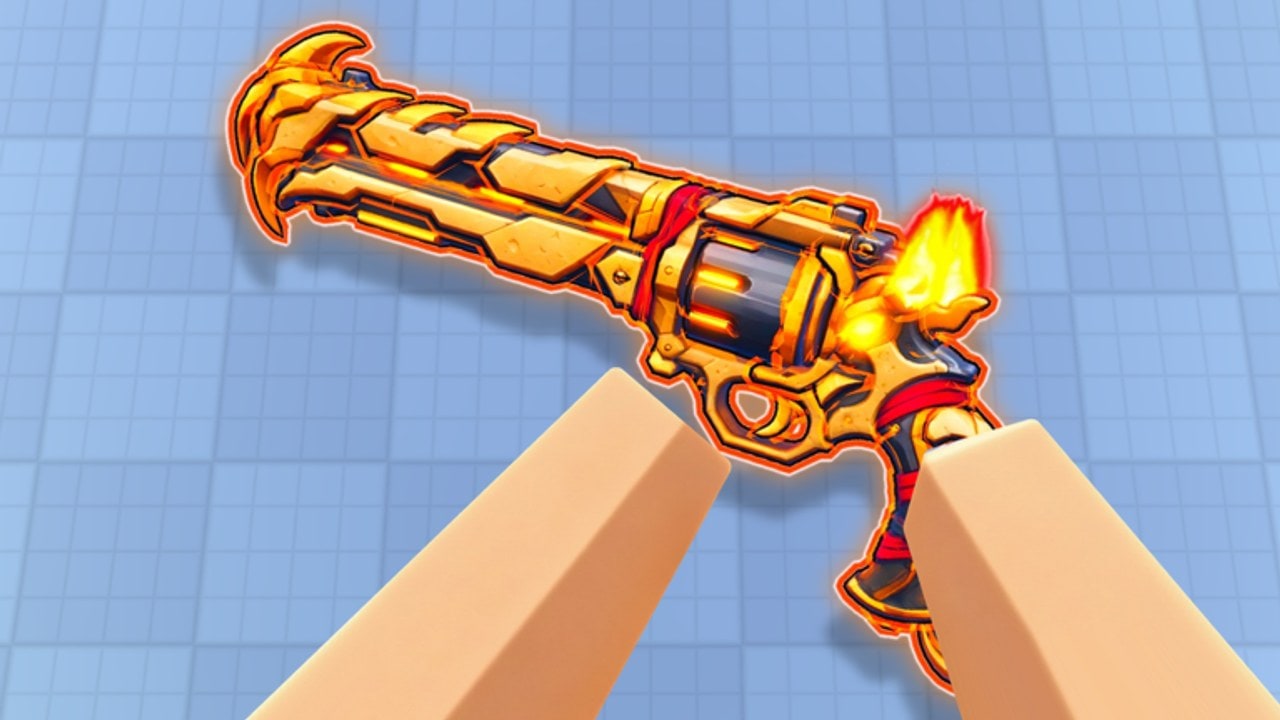
Mobile is a first-class way to play Revolver Arena, not a side mode. demilian’s one-shot arena supports touch with movable, resizable on-screen buttons and aim assist, while keeping the same revolver-plus-knife rules, parkour movement, map voting, and eight-player lobbies as PC and controller. This page turns that flexibility into a stable layout and honest expectations. Pair it with Controls, One-Shot Aim, Movement, and Knife Melee.
New accounts should still clear Getting Started. Mode and vote strategy live on Game Modes and Map Voting.
Build the HUD once, then stop fiddling
Constantly dragging buttons between deaths destroys muscle memory. Use a single setup session:
- Enter a quiet moment in a match or lobby where you can open control layout options.
- Place fire and aim where your thumbs naturally rest—usually lower corners—without covering the vertical center where enemies appear.
- Place slide and jump for the movement thumb so parkour does not require a full hand shift.
- Keep reload and swap large enough to hit under stress, but separated so you do not fat-finger reload mid-duel.
- Play one full match before any further tweak. Then change at most one button per session.
On small phones, shrink secondary actions first; protect fire, aim, slide, and jump. On tablets, spread the HUD wider so wall-run inputs stay clean.
Aim assist: strengths and limits
Strengths. Assist helps you stay on a visible target while you track strafe and short slides. It reduces some of the precision tax of fat thumbs on glass.
Limits. Assist does not pre-aim corners for you. It does not forgive open reloads. It does not win a knife crash if you never hit swap. Clearing a doorway unsighted and hoping assist “finds” a head is still a donation in a one-shot game.
Practical rule. Enter peeks already dragging toward the expected head height—same discipline as One-Shot Aim—then let assist polish the final tracking. After a kill, break line of sight and reload manually; do not trust assist to save a partial cylinder in the open.
Thumb placement and posture
- Sit with wrists supported when possible; claw tension over long sessions creates late swaps.
- Keep the device bright enough to read silhouettes on wall runs without max brightness cooking the battery.
- If your left thumb owns movement and slide, rehearse slide-jump chains until the right thumb never leaves fire/aim during basic peeks.
- For knife converts, practice a deliberate right-thumb path: aim/stab region → swap → stab. Layout distance between swap and aim matters more on mobile than players admit.
Slide, vault, and parkour on touch
Movement verbs are identical: slide, wall run, vault, climb. Execution is harder on glass, so simplify routes:
- Master slide peeks into hard cover before long scenic wall runs across mid.
- Use short wall segments that end behind a ledge you can actually thumb-stabilize on landing.
- Vault into reload cubbies as a defensive habit—touch players who panic-jump in the open get deleted.
- When a climb is required, only commit if the landing is safe; climb is a long expose on any platform.
Deep tech remains on Movement. Vote maps that match your current mobile comfort using Map Voting—readable lanes first, vertical playgrounds later.
Graphics, heat, and battery
One-shot duels need stable frame pacing more than maximum glitter.
- Prefer a steady frame rate over ultra effects that stutter during slides.
- If the device heats, lower graphics one step and close background apps; thermal throttling feels exactly like “my aim got worse.”
- Charge between sessions when grinding daily quests on Arena Pass so low-power modes do not quietly tank responsiveness.
- Kill-effect cosmetics look fine—just remember they are cosmetic per Skins and Cases and not worth overheating the phone to showcase.
Audit comfort options via Settings and the Tools hub when available.
Mode advice for mobile queues
| Mode | Mobile focus |
|---|---|
| Free For All | Best aim lab; practice assist-on peeks and post-kill reloads |
| Team Deathmatch | Hold tradeable angles; avoid lone wall-run hero paths |
| Capture the Flag | Take simpler carry routes; escort over flashy mid air time |
| Gun Game | Prefer maps with flexible ranges; use knife converts when a step feels awful |
When to switch to controller or PC
Mobile can climb far. Still, switch inputs when:
- You are hard-stuck on leaderboard goals on Leaderboards and your deaths are mostly fine-aim, not game sense.
- Knife swaps remain inconsistent after a week of HUD practice.
- You want cleaner wall-run chains for movement-heavy maps.
- A long ranked-minded session on a heating phone is costing more than it teaches.
Borrow a controller if that is your next step—binds are listed on Controls (Shoot R2, Aim/Stab L2, Slide B, Reload X, Swap Y, Jump A). PC offers the highest raw precision ceiling for many players (Shoot M1, Aim/Stab M2, Slide Ctrl/C, Reload R, Swap Q, Jump Space). None of these platforms are pay-to-win; skins stay cosmetic.
Session checklist
- Confirm HUD has not reset after a patch (Updates).
- Two-minute aim assist tracking warm-up in FFA.
- Ten intentional slide peeks with cover reloads.
- Five swap-to-knife converts (Knife Melee).
- Glance at daily quests, then vote a map you can actually read (Map Voting).
- Optional: check Codes for free redeemables (no confirmed public codes at writing—trust the live page).
Community rankings sit on Tier List and Modes Tier List. Player hubs: Players. Guides index: Guides Hub. Unofficial scripts: Scripts—unrelated to fair touch fundamentals.
Mindset
Mobile success in Revolver Arena is layout stability plus the same one-shot truths as every platform: head-height pre-aim, cover reloads, slide with a destination, and knife when space is gone. Aim assist is a helper, not a substitute brain. Build a HUD you trust, protect your frame rate, and queue modes that teach the skill you want tonight. When the glass truly caps you, switch input without ego—the revolver still only needs one clean hit.
Frequently Asked Questions
Quick answers for Revolver Arena players.
Can I move and resize buttons on mobile?
Yes. Revolver Arena supports movable, resizable on-screen controls. Set them once, play a full match, then adjust sparingly.
Does aim assist replace pre-aim?
No. Assist helps tracking on visible targets. You still need head-height crosshair placement and disciplined peeks.
What buttons should I prioritize in the HUD?
Fire, aim, slide, and jump first. Keep reload and swap large enough to hit, but separated to avoid mis-taps.
When should I switch from mobile to controller or PC?
When fine-aim or complex parkour—not game sense—is clearly capping you after solid HUD practice, or when heat and battery ruin long sessions.
Is mobile at a pay-to-win disadvantage?
No. Skins and katana cosmetics do not change damage. Input comfort differs by platform, but purchases are not required to compete.
Which mode is best for mobile warm-ups?
Free For All. It isolates peek timing and post-kill reloads before you add TDM trades or CTF pathing pressure.