Revolver Arena Recommended Settings
Tune sens, FOV, mobile buttons, and graphics so the first shot lands.
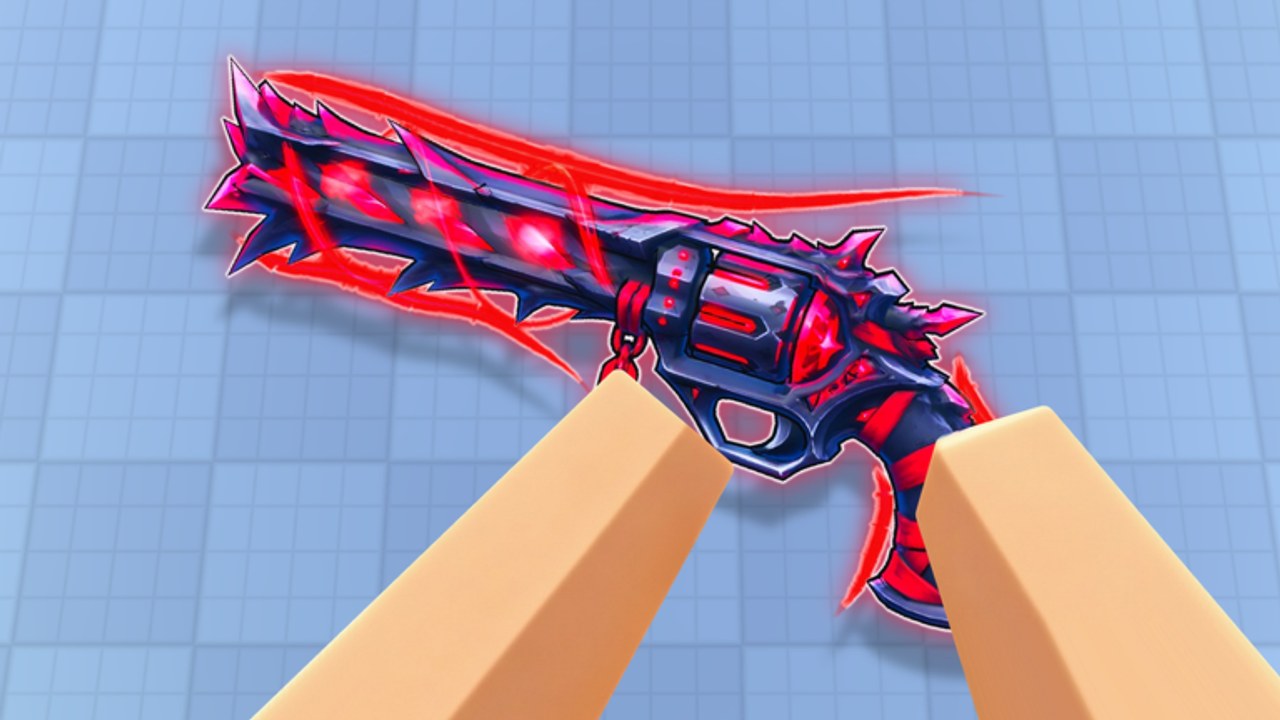
One-shot revolver fights punish blurry peeks and frantic sensitivity. This page recommends settings habits for Revolver Arena on PC, controller, and mobile: how to think about sensitivity, FOV, button layouts, and the graphics-versus-clarity trade. Exact Roblox sliders change over time — treat numbers as starting points, then validate in Free For All.
Return to the Tools Hub for checklists, Controls for input maps, and Movement for what those inputs should accomplish.
Principles before sliders
- Readable enemies beat pretty maps. If a wall-run hitch or low contrast skin effect costs you the first shot, the setting is wrong for climb nights.
- Change one variable per session. Sens and FOV together make it impossible to know what helped.
- Warm up after every change. Ten intentional FFA peeks beat menu theory (Mode Tier List).
- Platform first. Mobile thumb reach is not a PC wrist problem; do not copy a streamer’s PC sens onto a phone.
Skins remain cosmetic (Skins and Cases). Unequip noisy kill effects if they obscure the next target.
Sensitivity (all platforms)
Goal: turn to a slide peek target and settle the crosshair without micro-jitter, while still checking flanks in an eight-player room.
PC mouse
- Start at a sens where a ~180° turn takes a comfortable swipe, not a tiny twitch or a full mousepad marathon.
- Prefer raw / consistent feel over acceleration gimmicks when Roblox and your OS allow a stable path.
- Lower sens if you over-flick past models after landing slides; raise slightly if you cannot track close knife panic swings.
- Separate “menu comfort” from “fight comfort.” If inventory feel differs, ignore it — fights matter.
Controller
- Keep aim (L2) and fire (R2) accessible without claw pain.
- Use moderate look sensitivity with a deadzone small enough to micro-adjust but large enough to ignore stick drift.
- Movement face buttons (slide on B, reload/swap on X/Y patterns per Controls) should not force you to drop aim every time you vault.
- If you boost look sens for fast wall-run camera work, re-test close duel tracking immediately.
Mobile
- Aim assist exists — do not crank look speed so high that assist cannot settle.
- Thumbs need a sens that allows a short flick to a second target after a kill without spinning the whole courtyard.
- Retest after changing button scale; larger buttons change effective motion even when the sens number is identical.
Validation drill: in FFA, slide into a known angle ten times. Count how often the first shot is available on landing. Under six out of ten usually means sens or FOV is fighting you.
FOV habits
FOV is a habit, not only a number:
- Wider FOV helps peripheral threats in chaotic FFA, but shrinks distant models — dangerous in a one-shot game if you cannot confirm the torso quickly.
- Narrower FOV can make long peeks clearer, but blinds side swings during wall-runs.
- Pick a FOV you can live with for a full Arena Pass / daily session, not a cinematic screenshot value.
- After map vote on vertical layouts, remind yourself which climb lines sit at the edge of your vision (Game Modes / Movement).
If you change FOV, redo the slide-peek drill before you trust ranked ego.
Graphics versus clarity
Revolver Arena is readability-first:
- Prioritize stable frame time over max shadows. A hitch mid-slide is a missed M1.
- Reduce effects that add screen flash if kill effects or environment bloom hide peeks.
- On low-end devices, lower fancy layers until wall-run camera motion stays smooth.
- On high-end PCs, still avoid settings that soft-blur distant players for “beauty.”
- Watch thermal throttling on phones — a gorgeous first match and a melted fifth match is a settings failure.
Clarity checklist:
- Can you see a player model during your own slide animation?
- Can you distinguish teammates in TDM/CTF quickly enough not to team-fire?
- Do UI elements cover common head-height angles on your device?
If any answer is no, fix that before grinding Leaderboards.
Mobile button layout
Mobile fights die when fire, aim, and slide fight for the same thumb real estate.
Layout goals:
- Fire and aim reachable without covering the center of the screen where peeks appear.
- Slide available during forward sprints without releasing look entirely.
- Jump / vault / climb clustered so parkour chains do not require hunting icons.
- Reload and swap (Q equivalent) safe from accidental presses mid-duel, but not buried.
Practical tips:
- Slightly increase button size until miss-taps drop, then stop — huge buttons create new blind spots.
- Mirror layouts only if you are truly ambidextrous in practice; copied creator HUDs often assume different hand sizes.
- After enabling aim assist comfort, play a Gun Game or FFA warm-up to confirm you can still break cameras with slides instead of relying on sticky tracking alone.
- Landscape grip with stable elbows beats sofa pretzel aim for climb nights.
When a layout feels good, screenshot it for yourself — Roblox UI resets after some client updates, and rebuilding from memory mid-tilt wastes lobbies.
PC and controller quick reference
| Action | PC | Controller (typical) |
|---|---|---|
| Shoot | M1 | R2 |
| Aim / stab context | M2 | L2 |
| Slide | Ctrl / C | B |
| Reload | R | X |
| Swap | Q | Y |
| Jump | Space | A |
Confirm live bindings in Controls if a patch remaps anything. Settings pages cannot override muscle memory you refuse to rebuild.
Sensitivity change protocol
- Write down the old value.
- Adjust by a small step only.
- Play one FFA or TDM warm-up with no leaderboard anxiety.
- Keep or revert — do not “split the difference” five times in one night.
- Revisit after major Updates.
Session settings tied to goals
- Kills night: prioritize clarity and sens confidence; unequip distracting effects.
- Wins night: same, plus ensure team colors stay obvious in TDM/CTF.
- Level / quests night: comfort settings that prevent fatigue; see Arena Pass.
- Learning movement night: slightly more FOV awareness and stable FPS for wall-run practice.
Lobby quality still matters — settings cannot fix a six-stack stomp. Leave when needed (Players).
What not to do
- Copying a pro sens without matching DPI, FOV, and platform.
- Maxing every graphics option on a laptop that thermal-throttles.
- Covering half the mobile screen with overlapping buttons.
- Installing “aim tools” from chat ads — read Scripts and stay safe.
- Blaming sens for poor positioning; fix routes with Tier List thinking too.
Related pages
- Tools Hub
- Controls
- Movement
- Getting Started
- Leaderboards
- Codes — claim, then close menus
- Wiki Overview
Dial in clarity, then trust the revolver. Settings remove friction; they do not replace the decision to take a smarter peek.
Frequently Asked Questions
Quick answers for Revolver Arena players.
What sensitivity should I use in Revolver Arena?
Use a sens that lets you finish a slide peek and still micro-adjust. Change one small step at a time and validate in Free For All.
Should I play on high graphics?
Only if frame time stays stable and enemies remain clear. Clarity and smooth slides beat pretty shadows in one-shot fights.
How do I fix mobile button clutter?
Resize and separate fire, aim, and slide so thumbs do not cover center peeks. Screenshot a layout that works after you find it.
Does FOV give a competitive advantage?
It changes information versus target size. Pick a FOV you can read peeks on, then stick with it long enough to build muscle memory.